
Most businesses do not replace manual timesheets because someone wrote down one wrong number. They replace them because payroll has become dependent on chasing, interpreting and re-entering information every pay cycle.
A manager may know that an employee stayed late, worked through a break or filled a higher-duty role. Payroll only sees what makes it onto the timesheet. If that context is missing, even a perfectly totalled timesheet can produce the wrong pay outcome.
That is the real value of a time and attendance system. It creates a clearer path from what happened during the shift to what is reviewed, approved and ultimately paid.
Quick answer: A time and attendance system records when employees work, how their actual hours compare with the roster and any details needed before payroll, such as breaks, roles and locations. Its main benefits are better records, less re-entry, earlier visibility of exceptions and a more traceable payroll process.
What is a time and attendance system?
A time and attendance system is software used to capture, review, approve and store employees' working time. Depending on the system, staff might clock in through a shared kiosk, mobile app, browser or biometric terminal.
The clocking method is only one part of the process:
| Part of the process | What it does |
|---|---|
| Clocking method | Captures an entry, such as a start time, finish time or break |
| Digital timesheet | Groups those entries into a record of the employee's working time |
| Attendance management | Identifies missed punches, lateness, absences and other exceptions for review |
| Connected workforce system | Carries approved time, roster, role, location and pay-rule information into payroll |
A capable system may record start and finish times, paid and unpaid breaks, leave, absences, jobs, departments, work locations and the difference between rostered and actual hours. It should also show who approved or amended a record.
This distinction matters. A digital clock that produces a CSV for payroll to clean up each week may be better than paper, but it has not removed the handover where information can be lost.
▶When has a business outgrown manual attendance tracking?
Employee count alone is a poor test. Ten employees working across several sites, classifications and weekend shifts can create more payroll complexity than 50 employees working the same office hours.
You may have outgrown your current process if:
- Managers regularly chase missing or unsigned timesheets
- Payroll re-enters hours that have already been recorded elsewhere
- Overtime is found only when the pay run is being prepared
- Employees dispute hours or automatic break deductions
- Sites use different spreadsheets, forms or approval rules
- Changes are made without a clear amendment history
- The process depends on one person knowing how the spreadsheet works
Paper records are not automatically non-compliant. The problem is control. As the number of shifts, sites and pay conditions grows, manual records become harder to check, retrieve and apply consistently.
What are the seven benefits of a time and attendance system?
| Benefit | Problem it addresses | Practical result |
|---|---|---|
| More reliable records | Hours entered from memory or after the shift | Work is recorded closer to when it occurs |
| Less pay-run administration | Chasing, totalling and re-entering timesheets | Payroll reviews exceptions instead of rebuilding records |
| Better award-pay inputs | Total hours lack shift, break or role context | Payroll receives more of the information needed to apply pay rules |
| Earlier labour visibility | Overtime appears after it has already been worked | Managers can act on roster variances sooner |
| Fewer unverified entries | Missed punches, duplicates and retrospective edits | Exceptions follow a defined review process |
| Clearer employee visibility | Staff cannot see what was recorded or approved | Corrections can be raised before payroll is finalised |
| Stronger record-keeping | Records are scattered or difficult to retrieve | Time, approvals and amendments are easier to trace |
▶1. More reliable records of hours and breaks
Manual timesheets often ask an employee or manager to reconstruct a week after it has happened. Was the Tuesday finish 5:00 pm or 5:20 pm? Was lunch 30 minutes or missed because the site was short-staffed?
Recording a clock-in, clock-out or break when it occurs reduces that reliance on memory. It also gives managers a specific exception to review when an entry is missing or does not match the roster.
The software does not make every entry correct. An employee can forget to clock out, use the wrong job code or clock in before beginning work. The control comes from combining contemporaneous records with exception checks, manager approval and an amendment history showing what changed and why.
▶2. Less manual work before each pay run
The hidden cost of manual attendance is rarely the time needed to add one column. It is the repeated handling around it.
| Process stage | Manual or disconnected process | Connected process |
|---|---|---|
| Capture | Paper form or spreadsheet completed after the shift | Time recorded through a kiosk, mobile app or browser |
| Check | Manager scans every entry and follows up gaps | System flags missed punches and roster variances |
| Calculate | Hours and overtime are totalled manually | Approved records retain the shift detail needed for calculation |
| Transfer | Payroll retypes data or cleans an export | Approved timesheets move into payroll |
| Correct | Payroll emails a manager and changes the record | Correction follows an approval process with a history |
In practice, good automation changes the work rather than removing it. Payroll still checks the pay run, but it can focus on exceptions and unusual outcomes instead of re-entering every ordinary shift.
Integration quality is important here. If payroll still has to manipulate a CSV, restore missing classifications or work out which site an employee attended, the business has digitised the timesheet without fixing the workflow.
▶3. Better inputs for award-based payroll
For an award-covered employee, a total of 38 hours may not tell payroll enough.
The result can depend on when the hours were worked, whether the shift crossed a weekend or public holiday, the length of an unpaid break, the employee's classification, the role performed and whether an overtime threshold was reached.
Consider this hypothetical pharmacy shift:
| Shift detail | Data the system should retain | Possible payroll relevance |
|---|---|---|
| Rostered 9:00 am to 5:30 pm | Expected start, finish and break | Baseline for comparison |
| Clocked in at 8:52 am | Actual start time | Early start may require review and approval |
| Worked as pharmacist in charge | Role or higher-duty assignment | May affect the rate or allowance |
| Break recorded as 20 minutes | Actual break duration | Changes paid hours and may raise a missed-break exception |
| Finished at 6:10 pm | Actual finish time | May affect ordinary hours or overtime |
A time and attendance system supplies inputs. It does not decide the correct legal outcome by itself. The applicable Modern Award, enterprise agreement or employment terms still need to be identified and the pay rules configured correctly.
When evaluating a system, do not test only a standard Monday shift. Use the shifts that cause questions in your business: late finishes, split shifts, higher duties, work across two locations, public holidays and overtime following a missed break.
▶4. Earlier visibility of labour costs and overtime
Payroll can report overtime after the period closes. By then, the cost has already been incurred.
A connected rostering system lets managers compare the planned shift with the time actually recorded. Useful exceptions include early starts, late finishes, missed breaks, repeated lateness and hours worked outside the roster.
The point is not to treat every variance as misconduct. A late finish may show that the closing roster is unrealistic. Repeated missed breaks might point to understaffing during a peak period. A department that regularly calls people in early may have a demand problem that the roster is not capturing.
Seen early, these patterns can inform the next roster. Seen only as a payroll total, they are just another cost line.
▶5. Fewer unverified or duplicate time entries
Attendance discrepancies are not always deliberate. Common causes include a forgotten clock-out, a duplicated entry, an employee choosing the wrong location, an unapproved early start or a manager correcting a record without leaving a note.
A system can reduce these gaps through individual logins, approval rules, missed-punch alerts, location controls and a history of amendments. Optional photo or biometric verification can also reduce buddy clocking in workplaces where that risk justifies the added control.
Those controls need to be proportionate. GPS, geofencing, photographs and biometric templates involve employee privacy. The Office of the Australian Information Commissioner’s workplace monitoring guidance notes that employers must consider relevant Commonwealth, state and territory laws when monitoring staff. Employers should review privacy, consultation and workplace-surveillance requirements before switching these features on.
▶6. Greater transparency for employees and managers
Time records are easier to resolve when both sides can see the same information before payroll closes.
An employee should be able to review their recorded hours and raise a missed entry. A manager should be able to see the roster, the actual clocking data and the reason for a requested correction. Payroll should receive the approved result, not a chain of emails with competing versions.
This works only when the process is clear. Employees need to know how to clock breaks, what to do after a missed punch and when corrections must be submitted. Managers need consistent rules for approving early starts, late finishes and changes to recorded time.
The system provides visibility. The employer still has to provide a fair correction process and apply it consistently.
▶7. Stronger record-keeping and audit readiness
Australian employers generally need to keep time and wage records for seven years. According to the Fair Work Ombudsman’s record-keeping guidance, the records must be legible, in English and readily accessible to a Fair Work Inspector. They cannot be changed unless correcting an error, or be false or misleading.
The exact hours-of-work records required vary. For example, employers must record the hours worked by casual and irregular part-time employees paid according to time worked. Overtime records can also need the number of overtime hours and when those hours began and ended. Awards and annualised wage arrangements may add further requirements.
A central system can make records, approvals and genuine corrections easier to retrieve. It does not make a business compliant simply because the records are digital. Configuration, payroll review and record-keeping practices still matter.
How much can manual time and attendance cost?
The cleanest way to build a business case is to count the administration you can observe, not assume that every discrepancy becomes an overpayment.
Here is a hypothetical example for a 50-person business:
| Input | Assumption | Weekly cost at $45 per hour | Annual cost |
|---|---|---|---|
| Employee entry and corrections | 5 minutes × 50 employees = 4.17 hours | $187.50 | $9,750 |
| Manager review and follow-up | 3 hours | $135.00 | $7,020 |
| Payroll re-entry and reconciliation | 2 hours | $90.00 | $4,680 |
| Total | 9.17 hours per week | $412.50 | $21,450 |
This example estimates administrative effort across 52 weeks. It does not include overpayments, unplanned overtime or disputes, and it is not presented as a ClockOn customer result.
Annual manual processing cost = weekly administration hours × loaded hourly cost × working weeks or pay cycles
Compare that figure with the full cost of the proposed system, including subscriptions, hardware, implementation, training and ongoing administration. Also count work that may shift rather than disappear, such as reviewing alerts and maintaining pay-rule configurations.
What should you look for in a time and attendance system?
Do not buy from a feature checklist alone. Ask the vendor to show how your most difficult shift moves from clocking through to payroll.
| Capability | Questions to ask | Why it matters |
|---|---|---|
| Time capture | Can staff use a kiosk, mobile app, browser, PIN, card or biometric terminal? What happens offline? | The method must suit the worksite, devices and connectivity |
| Location controls | Can clock-ins be limited or tagged by location? Is the setting optional? | Useful for mobile and multi-site teams, but privacy must be considered |
| Exceptions | Are missed punches, early starts, late finishes and missed breaks flagged? | Managers can review the records most likely to need attention |
| Approvals | Can employees request corrections and can managers record why a change was made? | Creates a clearer path from raw entries to approved time |
| Audit trail | Can you see who changed a record, when and why? Can periods be locked? | Supports internal review and record retrieval |
| Roster connection | Can rostered and actual hours be compared by employee, role and location? | Makes labour variances visible before payroll |
| Award and payroll connection | Does approved time flow into payroll with its role, classification and shift context intact? | Total hours alone may not support the right pay calculation |
| Reporting | Can managers view overtime, attendance and labour by site or department? | Gives local managers useful access without exposing all payroll data |
| Security and access | Are permissions role-based? How are location and biometric data handled? | Sensitive workforce data should not be visible to everyone |
▶What to check before buying
- Test the system with real complex shifts, not vendor sample data.
- Confirm whether payroll receives a direct data flow, a standard export or a file that needs manipulation.
- Ask what information is retained when an employee changes role, department or location during a shift.
- Review how missed punches, corrections and approvals appear in the audit history.
- Check who maintains award rules when legislation, rates or business practices change.
- Include privacy, surveillance and employee consultation in the implementation plan.
How do you move from paper timesheets to an automated system?
▶1. Document what happens now
Follow one timesheet from the end of a shift to the completed pay run. Record who enters, checks, changes, approves and re-enters the information. The duplicated steps and recurring follow-ups are usually where the strongest business case sits.
▶2. Map the workforce and pay rules
List the awards, agreements, classifications, employee types, locations, departments and approval responsibilities involved. Choose a small set of difficult shifts that represent the exceptions payroll handles in a normal year.
▶3. Match the clocking method to the work
A shared kiosk may suit a pharmacy or warehouse. Mobile clocking may suit field teams, while browser entry may be enough for office-based employees. Consider accessibility, privacy, device availability and poor connectivity, not just convenience.
▶4. Configure and test the complete workflow
Run the representative shifts through rostering, attendance, approval, award interpretation and payroll. Test ordinary hours, breaks, overtime, weekends, public holidays, leave and corrections. Where practical, compare the old and new process for a suitable testing period before relying on the new output.
▶5. Explain the change to employees
Tell employees what will be recorded, why it is being introduced and how they can correct an error. Provide a written clocking policy. Train managers separately because approving exceptions and changing records carries more responsibility than simply clocking in.
▶6. Review the exceptions after launch
Frequent missed punches may be a training problem, a poorly placed kiosk or a workflow that does not match the shift. Repeated amendments may point to roster settings or approval rules. Review the cause before blaming the employee or adding another control.
Common implementation mistakes
| Mistake | Likely consequence | Better approach |
|---|---|---|
| Buying a clock without checking payroll integration | Re-entry continues in a different format | Test the full path into payroll before purchase |
| Configuring only standard hours | Weekend, overtime and allowance scenarios fail later | Test representative complex shifts |
| Automatically deducting every break | Paid time may be understated when a break was not taken | Record and review actual breaks and exceptions |
| Applying rounding without testing the result | Small differences accumulate across shifts | Check the rule against actual pay outcomes |
| Letting anyone amend records | Changes become difficult to explain | Use permissions, reasons and approval histories |
| Treating every variance as misconduct | Operational problems are missed | Check rostering, demand, training and configuration |
| Enabling GPS or biometrics without review | Privacy or surveillance requirements may be overlooked | Review the law, need, notice and data handling first |
| Assuming automation is correct after launch | Configuration errors can repeat at scale | Reconcile outputs and keep payroll review in place |
How ClockOn connects attendance data with payroll
ClockOn has worked with Australian payroll and workforce processes for more than 25 years. One practical lesson has remained consistent: the quality of the pay run depends heavily on the information collected before payroll starts.
ClockOn Time and Attendance can capture time through mobile, browser, kiosk and biometric options. Employees and managers can then review timesheets before the approved data moves into payroll. When rostering and award interpretation are also connected, the record can retain more than a total number of hours. It can include the shift, role and location context used in the pay process.
That does not remove the need to review payroll or maintain the applicable rules. It reduces the number of manual handovers and gives payroll a clearer record to review.
If you are assessing whether your current process has too many gaps, book a ClockOn demonstration using one of your own difficult pay scenarios. That is the fastest way to see whether the workflow holds together beyond a standard shift.
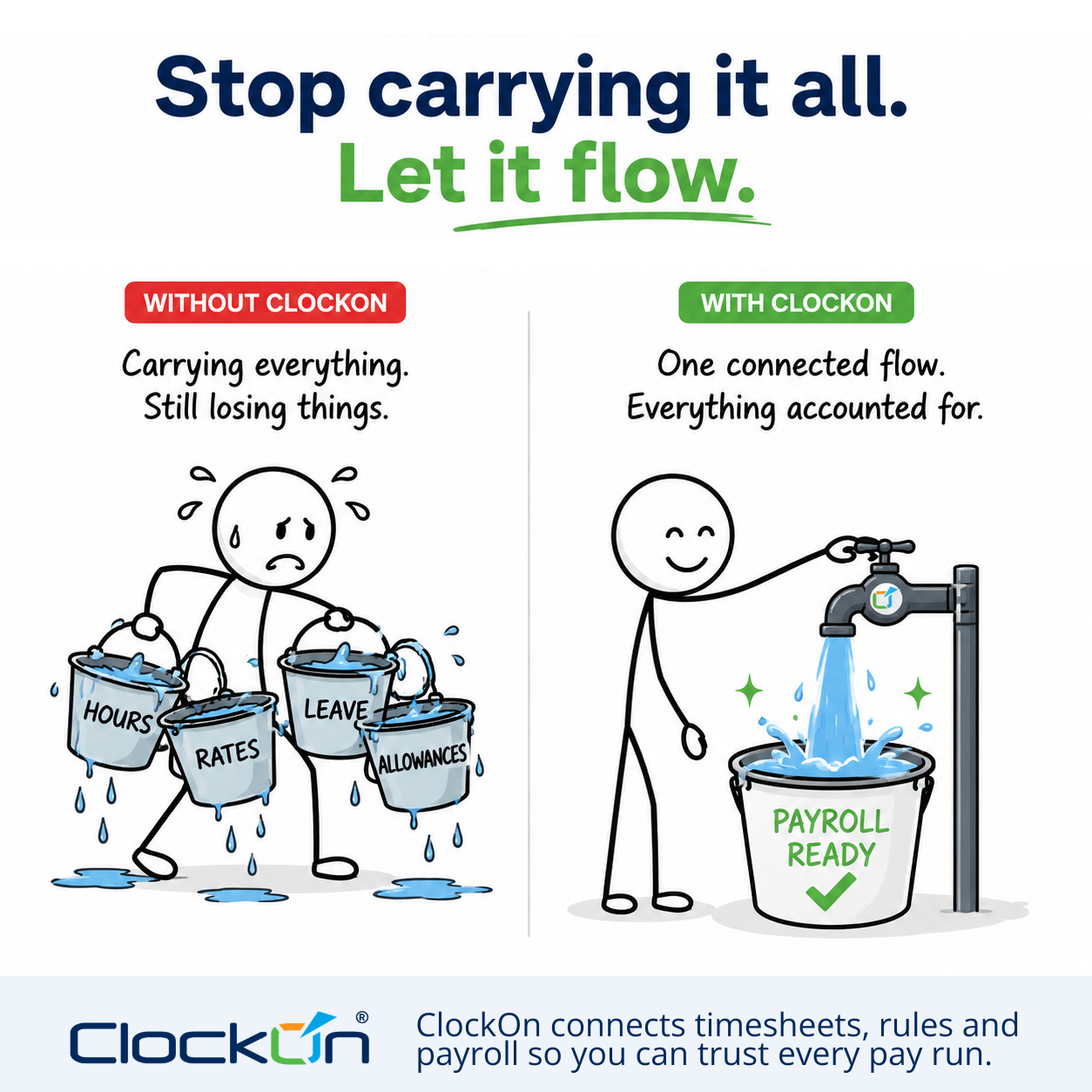
Frequently asked questions
▶What is an attendance management system?
An attendance management system records and manages employees' working time, including start and finish times, breaks, absences, corrections and approved timesheets.
▶What is the difference between time and attendance software and a timesheet?
A timesheet is a record of hours worked. Time and attendance software helps create, review, approve, store and transfer those records into rostering, payroll or other workforce processes.
▶Does time and attendance software integrate with payroll?
Many systems do, but the quality of the integration varies. Check whether approved hours move directly into payroll and whether the employee's role, classification, location and other pay-rule information are retained.
▶Are Australian employers required to record employee hours?
Employers must keep prescribed time and wage records. The exact hours that must be recorded depend on the employee's work and pay arrangements, including whether they are casual, irregular part-time, working overtime or covered by particular award provisions. The Fair Work Ombudsman recommends keeping records of hours worked for all employees as good practice.
▶How long must time and wage records be kept in Australia?
Employers generally need to keep time and wage records for seven years. The records must be legible, in English and readily accessible to a Fair Work Inspector.
▶Can time and attendance software prevent buddy clocking?
It can reduce the opportunity through individual credentials, location controls, approval rules, photo capture or biometric verification. No system can guarantee that every inaccurate entry will be prevented.
▶Is biometric clocking legal in Australia?
Biometric information is sensitive information. Its collection and use may be affected by privacy law, workplace law and state or territory surveillance requirements. Employers should obtain advice for their organisation and location before implementation.