
Accurate employee time tracking captures the shift that actually happened. If someone stays 20 minutes to close the shop, a timesheet copied from the roster can miss that work. Multiply the same mistake across a team and payroll starts drifting away from reality.
The best way to track employee hours depends on where people work, how often shifts change and how much checking payroll needs. A spreadsheet can suit a small team with straightforward hours. Mobile clock-ins, online timesheets and attendance kiosks give businesses more ways to capture changes as they happen.
What is the best way to track employee hours?
Choose an employee time tracking method that staff can use during their normal working day and managers can check before payroll. Start with the work setting, then consider the administration each option creates.
| Tracking method | Best suited to | Main advantage | What to watch |
|---|---|---|---|
| Paper timesheets or templates | Small teams with simple shifts | Low setup cost | Missing entries, handwriting and manual totals |
| Excel or Google Sheets | Teams comfortable maintaining a shared spreadsheet | Flexible calculations and layout | Formula mistakes, access controls and competing versions |
| Online timesheet software | Teams that need central records and approvals | Easier submission and review | Retrospective entries still rely on accurate recall |
| Mobile clock-in and clock-out apps | Staff working remotely or across sites | Records times where work happens | Phone access, connectivity and location settings |
| Attendance kiosks or time clocks | Teams arriving at a shared workplace | A consistent place to clock in | Device queues, outages and missed clockings |
Time and attendance software can combine several of these options. A business might use a kiosk in its warehouse, a mobile app for field staff and one approval process for both.
Why should you record actual hours instead of copying the roster?
Employee hours often change after a roster is published. A late customer, an early delivery or a shortened break can change the working day without changing the schedule.
Time tracking needs to account for this variation. The Australian Bureau of Statistics reported that 31% of employed people usually worked extra hours or overtime in August 2025. A process that simply repeats scheduled hours can miss those changes.
Keep three figures distinct when tracking employee hours:
- Rostered hours show when someone was scheduled to work.
- Actual hours record when work happened and the breaks taken.
- Paid hours reflect the applicable pay rules, including any minimum payments.
Important: A roster is a plan. A timesheet is a record of what actually happened. Payroll needs enough information to distinguish between the two.
For example, a timesheet might show this difference:
| Record | Start | Finish | Unpaid break | Working time |
|---|---|---|---|---|
| Published roster | 9:00 am | 5:00 pm | 30 minutes | 7 hours 30 minutes |
| Actual work | 8:55 am | 5:15 pm | 30 minutes | 7 hours 50 minutes |
The employee hours differ by 20 minutes. Record the actual work, then apply the relevant pay rules. Whether those minutes attract ordinary pay or overtime depends on the employee's arrangements.
Timekeeping failures have contributed to substantial underpayments. In April 2024, the Fair Work Ombudsman reported that IAG entities had back-paid more than $21 million in wages and entitlements under federal workplace laws to more than 19,000 employees. The regulator identified missing time and attendance systems among several failures, alongside inadequate award reconciliations.
Which employee time tracking option fits your business?
▶When are paper timesheets or templates enough?
Paper timesheets can work when shifts are straightforward and someone checks every submission. Use a consistent template with dates, actual start and finish times, breaks and space for corrections.
A timesheet completed at the end of each shift is easier to verify than one reconstructed on Friday afternoon. Set a submission deadline and name the person responsible for following up missing entries.
Manual time tracking becomes harder to manage when payroll regularly has to decipher handwriting, chase missing sheets or re-enter the same information. Those tasks give you a practical reason to consider another method.
▶How can you track employee hours in Excel?
To track employee hours in Excel, give each shift its own row and calculate the duration from start and finish times, less unpaid breaks. Include the employee, work date, location and approval status.
Spreadsheet time tracking needs a few safeguards: protect formula cells, control who can edit records and keep approved copies. Test shifts that cross midnight and totals exceeding 24 hours before relying on the workbook.
When entering employee hours, distinguish hours and minutes from decimal hours. Seven hours and 30 minutes is 7.5 decimal hours, not 7.30. That small formatting difference can affect every calculation that follows.
Excel timesheets become cumbersome when different managers maintain separate copies or payroll repeatedly fixes formulas. Track the time spent checking the workbook as well as its subscription cost.
▶When should you use online timesheet software?
Online timesheets suit businesses that need submissions, corrections and approvals in one place. Managers can review records without gathering separate files from every employee.
Digital timesheets still need a clear entry process. Some systems rely on staff entering hours later; others build records from clock-ins. Ask how the system handles late submissions, disputed entries and changes after approval.
When assessing online timesheets, ask to see a corrected shift. You should be able to understand the original entry, what changed and who approved it.
▶When is a mobile clock-in app the better choice?
A mobile time tracking app suits employees who work across sites or away from a shared clock-in station. They can record the beginning and end of work using their phone.
Remote employee time tracking also needs to capture split working days. The ABS found that 36% of employed people usually worked from home in August 2025. Make sure staff can record a later work session rather than stretching one entry across personal time.
For GPS time tracking, check when location is collected and how staff are informed. Test what happens with weak reception, a flat battery or a legitimate shift outside the usual location. Give employees a clear way to report work when clocking in fails.

▶When should you choose an attendance kiosk or time clock?
An attendance kiosk suits workplaces where staff enter through a shared location, such as a shop, clinic or warehouse. Employees use a workplace device instead of their own phones.
Kiosk time tracking needs to work during the busiest shift change. Check the device location, how quickly staff can use it and the backup process during an outage.
Biometric attendance systems introduce additional privacy considerations. The OAIC explains that biometric information is sensitive information, with consent generally required when the Privacy Act applies, subject to exceptions. Check the requirements before choosing fingerprint identification.
What employee time records must Australian businesses keep?
Time and wages records must be kept for seven years under the Fair Work record-keeping requirements. They must be legible, in English and accessible to a Fair Work Inspector. Records must not be false or misleading, and changes must correct an error.
Employee hours requirements vary with the employment arrangements. Fair Work specifies hours records for casual and irregular part-time employees paid by time worked, along with overtime records where applicable. Some award annualised wage arrangements require extra records. Check the award or agreement covering each role.
For practical time tracking, capture enough detail to explain each shift:
- Employee name and work date.
- Actual start and finish times.
- Break timing and whether breaks were paid or unpaid.
- Site, role or job details where they affect pay or costing.
- Corrections, reasons and manager approval.
Employee time records should remain retrievable when a manager leaves or you change software. Before signing up, ask how to export historical records and retain access after cancellation.
How do you prevent time tracking errors before payroll?
Reliable employee time tracking needs a review step between recording a shift and processing pay. Give one person responsibility for resolving exceptions before the payroll deadline.
Review timesheets in this order:
- Find missing clock-ins, clock-outs and incomplete shifts.
- Compare actual hours with the roster and investigate differences.
- Check that recorded breaks match the breaks actually taken.
- Confirm corrections with the employee and record the reason.
- Approve the timesheet and check its transfer into payroll.
Unpaid breaks need particular attention in time tracking. An automatic 30-minute deduction can produce an inaccurate record if someone worked through lunch. Give staff a way to report missed or interrupted breaks and have a manager resolve them.
For an overnight timesheet, record both dates and check the full shift duration. Where work crosses into a weekend or public holiday, payroll also needs enough detail to apply the relevant rules.
Accurate time records are only one input to pay calculations. Check classifications, rates, allowances and overtime settings separately. Correct clock-ins cannot compensate for an incorrect payroll setup.
How do you know whether time and attendance software is worth it?
Assess time and attendance software against the work your current process creates. For two pay cycles, measure how long your team spends collecting records, fixing entries, approving shifts and transferring data to payroll.
Use the same measures when trialling a time tracking system:
- Minutes spent preparing timesheets for each pay run.
- Missing or incomplete shifts requiring follow-up.
- Corrections made after timesheet approval.
- Timesheet entries that need retyping into payroll.
Test employee time tracking with a normal shift and a difficult one: an overnight shift, a missed clock-out or a worked meal break. Ask the supplier to demonstrate the correction and approval process using your example.
Compare the attendance software subscription with setup, training, hardware and payroll integration costs. A useful system should make your actual workflow easier to manage, including the exceptions.
How can ClockOn help you track employee hours?
ClockOn's time and attendance software supports mobile and onsite clock-ins, timesheet approvals and connections with rostering and payroll. You can choose a capture method around where your staff work.
For mobile employee time tracking, ClockOn GO captures clock-in times with GPS location data and connects attendance records with timesheets. Managers can review hours before they move into payroll.
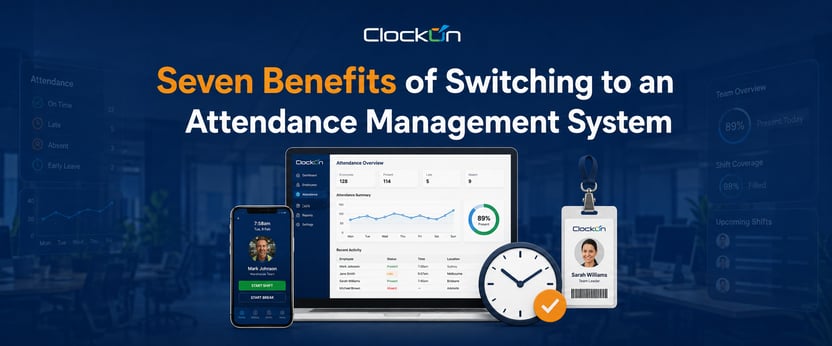
Bring a recent roster and a difficult timesheet to your ClockOn demo. Ask us to show how your team would record the shift, correct a missed entry, approve the hours and pass them to payroll.