







 Blog
Blog Guides
 Templates
 Webinars
 Education & Training
 About Us
 Integrations
 Press Releases
 Help Centre
 Professional Services
 Knowledge Base (Desktop Software)
 Knowledge Base (Online Software)
Glossary of Terms
Definitions of key payroll and HR terms and how they are used in ClockOn.
A
ABA: This refers to a standard file format that is used for quickly uploading employee payments to banks. This is also referenced as an "EFT file" in ClockOn.
Accruals: A generic term for an accumulation and can be considered as a simple record or as a means of tracking employee compensation. In ClockOn this usually relates to leave entitlements with accrual rates set in the Rule Set.
Active Licenses: Located in the Subscription Manager this shows the number of employees counted toward the subscription.
Activity Summary: A report showing rostered hours, worked hours and cost breakdowns including allowances and paid amounts.
Additional Annual Leave: A ClockOn-specific leave category for employees deemed “Shift Workers”.
Additional Tax: An allowance that increases the tax portion withheld from an employee’s gross earnings.
After Tax: Usually describes allowances paid after tax and super calculations.
Allowance Set: A list of allowances assigned to an award template, applied across linked employees.
Approve: Timesheet feature that confirms warnings and applies payroll rules.
Australian Business Number (ABN): Unique identifier for Australian businesses used for STP reporting along with Branch Number and BMS ID.
Auto Fill: Timesheet feature that auto-completes based on shift details.
Award: Container for ClockOn rule sets, rate sets and allowance sets used to automate payroll.
B
Bank Clearing House: A financial institution that processes ABA uploads and disburses payroll funds.
Before Tax: Payroll amounts before tax deduction.
BMS ID: Unique serial number identifying payroll software for ATO STP reporting.
Branch Number: Used with the ABN to uniquely identify a company with the ATO.
Breaks (Timesheets): Rest periods recorded in timesheets, either paid or unpaid.
C
Casual: Employment type without guaranteed ongoing hours. Casuals normally do not accrue paid leave but receive a loading.
Casual Leave Loading: Percentage uplift applied to hourly rate for casual employees.
Cessation Type: ATO-defined termination reasons required in STP submissions.
Child Support (Deduction): Mandatory deduction from employee after-tax income under Services Australia direction.
Child Support (Garnishee): A stronger enforcement method that may override Protected Earnings rules.
ClockOn Desktop: Legacy ClockOn system using a local database install.
ClockOn GO: Mobile app for employees to clock work times, view rosters, request leave and access payslips.
CDEP: Former federal program replaced by CDP and later RJED.
Compassionate Leave: Also called Bereavement Leave. NES entitlement for death or life-threatening illness of immediate family.
Contractor: Independent worker operating under a commercial agreement rather than employment.
Cost Summary: Reports summarising gross, tax, GST and super amounts.
Custom ID: Optional ID field used in imports and integrations.
D
Department: Subcategory of a location used for costing and organisational structure.
Disaggregated Gross: Itemised breakdown of earnings required for STP Phase 2.
Document Template: Pre-filled template used during employee onboarding for items like employment contracts.
E
EBA: Enterprise Bargaining Agreement between employer and employees covering wages and conditions.
Equal Employment Opportunity: Ensures fair access and no discrimination in employment.
EFT Banking Summary: Report showing net payments and bank details.
Email Payslips: Bulk sending of payslips via email.
Employee: Person engaged under an Australian employment contract with entitlements.
Employee Allowances: Adjustments outside timesheets including bonuses, deductions or corrections.
Employee Groups: Controls access to self-service features like GO and the employee portal.
Employee Onboarding: Process of capturing initial employee details including optional contract generation and right-to-work checks.
Employee Portal: Employee self-service features available in ClockOn Pro.
Employer: Entity responsible for pay, record keeping, super and WHS under Fair Work Act.
Employment Anniversary: Annual date used for service recognition and leave calculations.
Export: Menu category for bank ABA, STP, SAFF and integration exports.
F
Flare Benefits: Employee benefits platform integrated via ClockOn onboarding.
Flat Loading: Casual loading options in rule sets.
Fringe Benefit Tax (FBT): Employer tax on certain non-cash benefits.
G
Geofence: Virtual radius around a location for authorised clock-ins.
Gross Type: STP category defining employment type.
H
HECS: Student loan repayment system deducted via income tax.
HELP: Successor to HECS.
Hourly Rate: Pay rate per hour or calculated equivalent of a salary.
HR: Human Resources – management of employee records, leave, hiring and compliance.
I
Industry Hours: Accumulated hours used to determine rate increases.
Integration Wizard: Tool to transfer costings and journal entries to other systems.
Irregular Payroll: Payroll where employee hours vary week to week.
J
Job Keeper: Temporary COVID-19 wage subsidy program.
Journal (Account ID): Identifier linking payroll items to accounting systems.
Journal (Credit): Liability amounts such as tax or wages payable.
Journal (Debit): Payroll expenses like wages and super.
Journal (Job Code): Assigns payroll costs to projects or cost centres.
Journal (Tax Code): Ensures BAS compliance.
Journal (Tracking Names): Used for Xero cost allocation.
Journal Report: Report of payroll-related ledger entries.
K
Kiosk: Tablet app for PIN-based employee clocking.
L
Leave Accrual (Pro-Rata Down): Adjusting full entitlement proportionally when fewer hours are worked.
Leave Accrual (Pro-Rata Up): Increasing leave accrual when working more than the standard schedule.
Leave Entitlements: Types and amounts of leave an employee can access.
Leave Loading: Extra payment added to annual leave.
Liability: Employer financial obligations.
Loading: Additional percentage added to wages in certain conditions.
Location: Organisational unit used for payroll and costing.
Long Service Leave: Leave entitlement after long service, including casuals.
M
Manager Category: Classification for employees in managerial roles.
Minimum Wage: Minimum legal hourly pay rate.
MYOB: Australian accounting software with ClockOn integration.
N
Net Pay: Employee take-home earnings after tax and deductions.
Non-Rostered Shifts: Timesheets without linked working-week shifts.
Novated Lease: Car lease arrangement via salary packaging.
O
Occupational Category: Defines type/level of work for award and pay purposes.
Onboarding Checklist: Set of tasks assigned to new employees or managers.
Overtime: Hours worked beyond reasonable contractual limits.
Overtime (Periodic): Triggers overtime after set hours across multiple periods.
Overtime (Rate Sheet): Defines the rate tiers for overtime.
Overtime (Cumulative): Overtime based on total hours in a period.
Overtime (Time Based): Overtime triggered by start/end times or shift length.
P
Parental Leave: Leave taken following a child’s birth, sometimes with government payments.
Personal Leave: Leave for illness or personal emergencies.
Payday Super: Paying super at or around payday.
Pay Period: Time window for payroll calculation.
PAYG Allowance: Regular instalment tax payments.
PAYG Location: Determines where an allowance is allocated.
Pay Higher Of: Selects the most beneficial pay condition for the employee.
Payroll: System for calculating earnings, deductions and taxes.
Payroll – End Date: Last day of the payroll period.
Payroll – Payment Date: Day wages are transferred.
Payroll – Start Date: First day of payroll period.
Payroll Tax: Obligatory employer tax above state thresholds.
Payroll Tax Percent: Rate applied to taxable wages.
Payslip: Document detailing earnings and deductions.
Penalty: Extra payment for working unfavourable hours.
Phone Support: Paid access to ClockOn’s support team.
Primary Manager: Manager responsible for approvals and oversight.
Protected Earnings Amount (PEA): Minimum income employee must retain after deductions.
Public Holidays: Government-declared non-working days.
Publish: Makes a roster visible to employees.
Q
Qualifications: Recorded certifications required for roles.
R
Rates (Timesheet): Overridden hourly rate applied for specific time blocks.
Rate Set: Minimum hourly rates by employee category.
RDO: Rostered Day Off accrued through additional hours worked.
Recall To Work: Returning an employee outside normal hours.
Registered Agent: BAS/tax agent authorised to submit STP.
Reimbursement: Repayment of employee expenses.
RSEC: Reportable Employer Super Contributions.
Role: Work position used in rosters and location configuration.
Rollback: Reverses payroll in the system only.
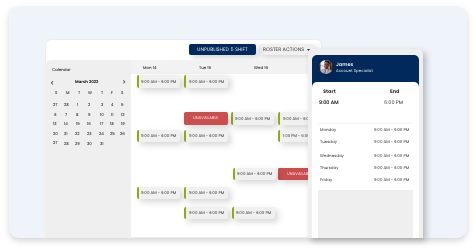
Roster: Scheduling feature for employee shifts.
Roster Costs: Estimated payroll costs for rostered hours.
Roster (Employee View): Shows employees vertically with hours worked.
Roster (Role View): Shows required roles with assigned shifts.
Roster (Templates): Pre-built shifts for fast rostering.
Rounding: Rounds timesheet times to rules set in the rule set.
Rule Set: Collection of payroll rules including rounding, overtime and leave.
S
S.I.C: Code defining the business industry.
Salary: Fixed remuneration for employee services.
Salary Sacrifice (Employee): Reduced salary in exchange for benefits.
Salary Sacrifice (Super): Foregoing pay for additional super contributions.
Secondary Manager: Alternative manager for approvals.
Self-Managed Super: A super fund managed by the individual.
Shift: Scheduled block of work hours.
Shift Worker: Employee working irregular or non-standard hours.
Single Touch Payroll (STP): Mandatory ATO payroll reporting each pay cycle.
Special Annual Leave: Additional accrual category for Sunday or public holiday work.
Special Rates: Override of base rate inside timesheets.
Statutory Annual Leave: Legally mandated annual leave entitlement.
STP Intermediary: Entity facilitating automated processing of transactions.
STSL: Student and Training Support Loan program.
Software ID: ATO identifier for payroll software (not used by ClockOn).
Subscribed Licenses: Number of licenses purchased for the organisation.
Subscription – Outsourced Payroll Service (OPS): Fully managed payroll by ClockOn.
Subscription – Starter: Free tier for up to 20 employees with limitations.
Subscription – Pro: Includes rostering, HR and full system functionality.
Subscription – Standard: Mid-tier plan with exports and add-ons.
Subscription Manager: Manages addons, licenses and payment details.
Super: Superannuation payments made by employers and employees.
Super Clearing House: Processes super payments to employee funds.
Super Co-Contribution: After-tax additional employee contribution.
Super Guarantee (SGC): Mandatory minimum super payment.
SAFF: File format for uploading super payments.
T
Tax: Payroll amounts withheld for the ATO.
Tax Agent: Qualified agent handling tax matters.
Tax Allowance/Rebate: Adjusts tax payable to increase/decrease net pay.
Tax Category: Determines tax scale used at payroll.
Team: Group assignment for onboarding or internal tasks.
Termination: Finalising employment and paying out balances.
Time In Lieu: Time off instead of overtime payment.
Training: Development of skills and knowledge.
U
Unavailability: Employee-entered times they cannot work.
Union Fees: Fees paid by union members.
Up Skilling: Learning new or advanced skills.
V
Vocational: Related to work or specific job training.
W
Wages and Salary: Monetary compensation for work performed.
WGEA: Workplace Gender Equality Agency.
WPN: Withholding Payer Number issued by the ATO.
Workers Compensation: Employer-funded injury insurance.
WHS: Workplace Health and Safety.
Working Holiday Maker: Visa program allowing work while travelling.
Working Week: Days and hours forming an employee’s standard schedule.
X
XERO: Cloud accounting software with ClockOn integration for journals and costings.
Y
Year To Date Balances (YTD): Total earnings reported during the financial year.
Year To Date Opening Balances: Starting balances when migrating from another system.
YTD Allowances: Corrections applied inside payroll without affecting totals.