
Payroll software for a shift-based workforce brings rostering, timesheets and payroll together in one system. Instead of manually moving hours between tools, it uses actual shifts worked to calculate pay, including penalty rates, overtime and allowances. For mid-sized Australian businesses, that means fewer payroll errors, less admin and stronger Modern Awards compliance.
With a connected system like ClockOn, shift scheduling and payroll automation work as one process rather than separate tasks.
.png?width=1000&height=300&name=Workforce%20Management%2c%20Simplified.%20(2).png)
Rosters flow into timesheets, timesheets flow into payroll, and pay rules are applied automatically based on what staff actually worked. This makes payroll faster to process and far easier to manage when your team works varying shifts, locations and pay conditions.
What Is Payroll Software for a Shift-Based Workforce?
Payroll software for shift-based workforce connects rosters, timesheets, and payroll into one system. It removes manual data entry between scheduling and pay runs. Businesses with variable hours, penalty rates, and allowances rely on this to maintain accuracy. Systems like ClockOn are built specifically for industries where shifts drive pay outcomes.
Payroll accuracy depends on capturing actual worked hours, not planned shifts. That is why integration between rostering and payroll is critical.
How Does Staff Rostering Integration Improve Payroll Accuracy?
Staff rostering integration ensures planned shifts flow directly into timesheets and payroll. This eliminates discrepancies between scheduled and worked hours. Payroll teams no longer reconcile spreadsheets or chase missing data.
A connected system links three stages:
- Rostered hours
- Actual attendance
- Paid hours
This structure ensures payroll reflects real work performed, not estimates.
Why Do Shift-Based Businesses Need Penalty Rates Calculation?
Penalty rates calculation is essential because Australian awards require different pay rates based on time and conditions. Weekend work, public holidays, and late-night shifts all trigger different pay rules.
Manual calculation increases compliance risk and slows payroll processing. Automated systems apply award rules instantly based on shift data.
This is critical for industries like Healthcare and Hospitality
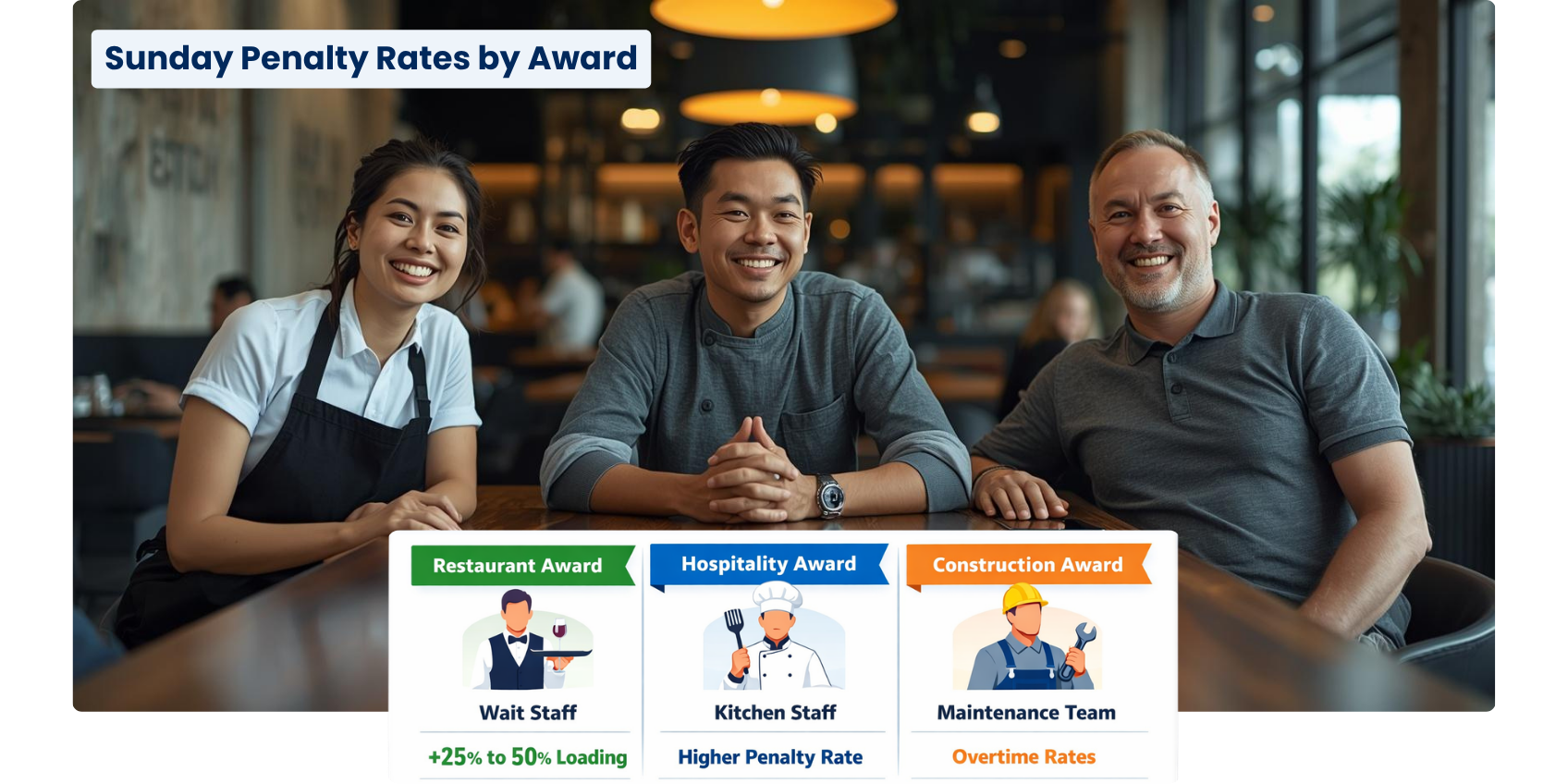
Consider a mid-sized hospitality group operating a venue with three distinct departments:
- Front-of-house (Restaurant Award)
- Kitchen staff (Hospitality Industry Award)
- Maintenance team (Building and Construction Award)
Each of these awards has different penalty rules, even for the same shift conditions.
For example, on a Sunday:
- A waiter working under the Restaurant Award might receive a 25–50% loading
- A chef under the Hospitality Award could be entitled to a higher penalty rate
- A maintenance worker fixing equipment may fall under a completely different overtime structure instead of standard weekend penalties
How Does Payroll Software Handle Complex Allowances Management?
Complex allowances management requires software to interpret multiple variables within a single shift. These include meal allowances, travel allowances, and role-based payments.
Payroll systems built for shift-based workforce apply allowances automatically when conditions are met. This removes the need for manual tagging or adjustments.
Key capabilities include:
- Rule-based allowance triggers
- Role and classification mapping
- Multi-condition calculations per shift
Beyond calculating pay, ClockOn extends into payroll execution workflows. This includes integrated superannuation processing through Beam, allowing businesses to submit and manage super payments directly within the same system used for payroll.
What Is Shift Scheduling and Payroll Automation?
Shift scheduling and payroll automation means payroll is generated directly from approved timesheets without re-entry. Once shifts are worked and approved, payroll calculations are triggered automatically.
This reduces payroll processing time and eliminates duplication. Businesses using systems like Employment Hero or MYOB often rely on integrations, but fully unified systems remove integration gaps entirely.
Automation ensures:
- Faster payroll cycles
- Fewer errors
- Consistent compliance
%20(3).png?width=800&height=200&name=ClockOn%20-%20Carousel%20Ad%20(800%20x%20200%20px)%20(3).png)
How Does a Payroll Management System Reduce Compliance Risk?
A payroll management system reduces compliance risk by applying award rules consistently across every pay run. It removes human interpretation from calculations.
Australian payroll complexity comes from awards, classifications, and conditions that change frequently. Systems like ClockOn embed award interpretation directly into payroll workflows.
This ensures:
- Correct penalty rates every time
- Accurate superannuation calculations
- Audit-ready payroll records
Real-Life Example: Hospitality Business (Weekend + Late Night Shifts)
A café operates 7 days a week with a mix of junior and adult employees working varying shifts, including weekends and late nights under the Hospitality Award.
Typical workflow in ClockOn:
- Roster Creation
The manager builds the weekly roster, assigning employees to shifts (e.g. Saturday 6pm–11pm). - Time & Attendance Capture
Staff clock in and out via kiosk or mobile.
The system records actual worked hours, including any variations (e.g. staying back until 11:30pm). - Automatic Award Interpretation
Based on the employee’s classification and shift conditions, ClockOn automatically applies:- Saturday penalty rates
- Evening penalty rates after a certain time
- Junior pay rates where applicable
- Payroll Processing
When timesheets are approved:- All penalty rates and conditions are already calculated
- Superannuation is calculated on the correct earnings base
- No manual adjustments or overrides are required
- Compliance & Audit Trail
The system retains:- The original roster
- Actual clocked times
- The pay rules applied
Why Is Roster-to-Payroll Automation Critical for Mid-Sized Business Payroll?
Mid-sized business payroll becomes inefficient when processes rely on spreadsheets or disconnected tools. As staff numbers grow, complexity increases exponentially.
Roster-to-payroll automation removes this bottleneck by creating a single workflow from scheduling to payment. This is especially important for businesses with 20–500 staff where scale introduces risk.
Without automation:
- Payroll errors increase
- Processing time expands
- Compliance exposure grows
What Makes ClockOn Different for Shift-Based Payroll?
ClockOn is designed as a single system rather than a collection of integrations. It connects rostering, attendance, and payroll in one workflow.
Unlike platforms that rely on third-party apps like Xero integrations, ClockOn calculates pay directly from timesheet data. This removes syncing issues and data gaps.
Core advantages include:
- Built-in award interpretation
- Direct roster-to-payroll flow
- Automated allowance and penalty calculations
How Does ClockOn Automate Penalty Rates and Allowances?
ClockOn automates penalty rates calculation by applying award rules to each shift based on time, day, and role. It evaluates conditions in real time during payroll processing.
Allowance calculations are triggered using predefined rules linked to employee classifications and shift conditions.
This ensures:
- No manual adjustments required
- Consistent rule application
- Faster payroll finalisation
What Problems Does ClockOn Solve for Workforce Managers?
ClockOn solves the disconnect between scheduling and payroll that causes delays and errors. Workforce managers gain visibility across the entire workflow.
Key problems addressed include:
- Mismatched roster and payroll data
- Manual allowance tracking
- Complex award interpretation
By centralising these processes, teams reduce admin time and improve operational control.
| Scenario | Without ClockOn | With ClockOn |
|---|---|---|
| Roster vs actual hours | Managers must manually compare rosters to timesheets and fix discrepancies | Actual worked hours flow directly into payroll, aligned with the roster |
| Shift changes | Swap changes and extra hours require manual updates and recalculations | System updates automatically based on recorded time and attendance |
| Allowances | Meal, travel, or shift allowances tracked manually and easily missed | Allowances applied automatically based on configured rules |
| Award interpretation | Payroll must manually apply penalty rates, overtime, and conditions | Award rules are interpreted automatically from shift data |
| Payroll processing | Multiple checks required, increasing time and error risk | Payroll is processed faster with minimal manual intervention |
Why Should Shift-Based Businesses Choose an Integrated Payroll System?
Integrated payroll systems eliminate the need for multiple tools and reduce operational friction. They provide a single source of truth for workforce data.
For shift-based businesses, this means:
- Accurate pay tied to actual work
- Simplified compliance
- Reduced administrative overhead
Systems like ClockOn are built specifically to handle these requirements without relying on external integrations.