





 How ClockOn Works
 Feature list
 Templates
 For Accountants
 Payday Super
 About Us
 Blog
Blog Integrations
 Press Releases
 Help Centre
 Professional Services
 Setup Service
 Training
With ClockOn, manage staff schedules, track attendance, process payroll, and keep HR documents organised and compliant - all within one powerful, connected system.
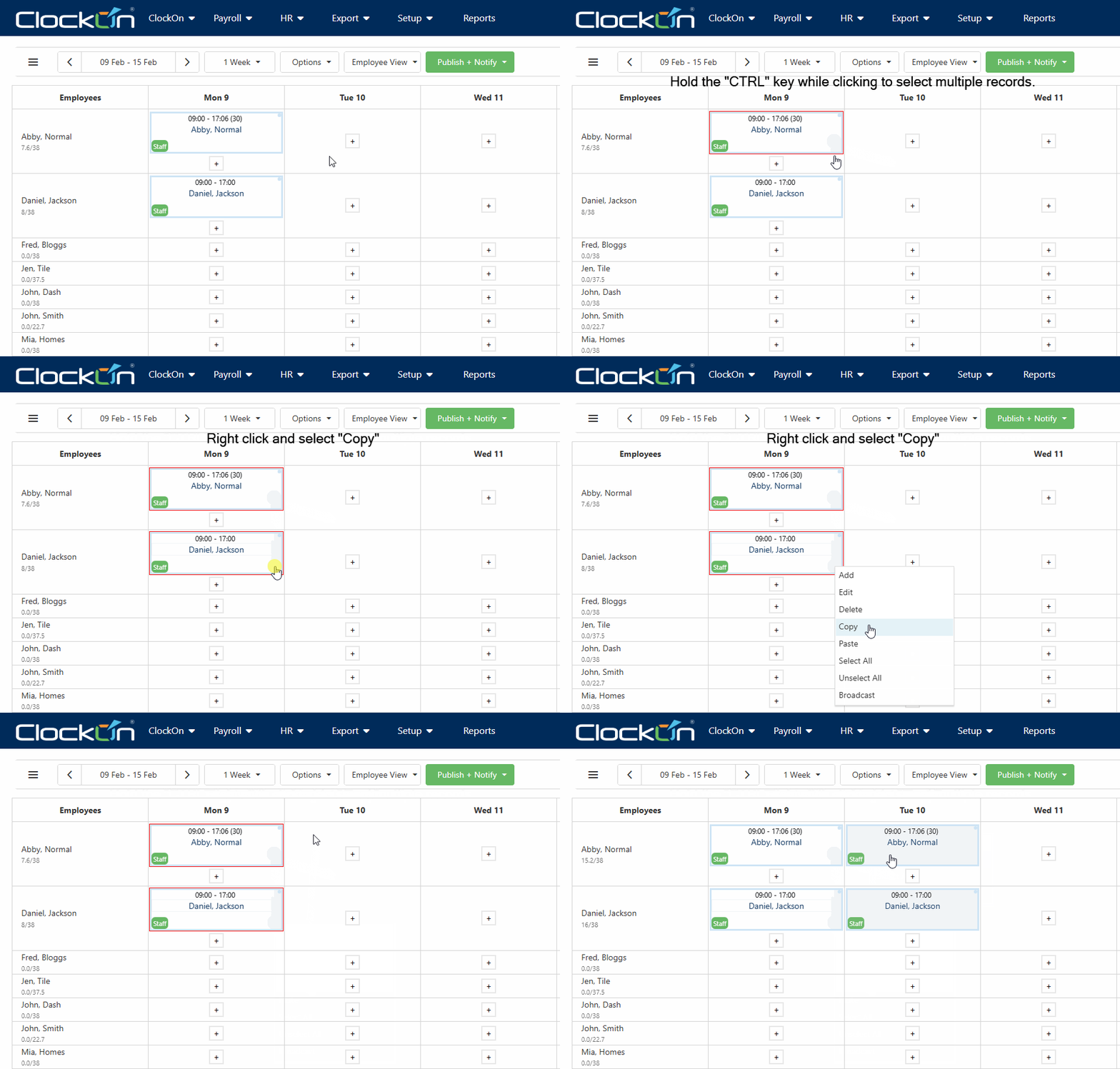
Timesheets and Rosters That Work as One System
ClockOn connects timesheets and rosters into one workflow so planned hours, actual hours, and payroll stay aligned. Create rosters, capture worked hours, and process payroll without manual reconciliation.
-
Rosters and timesheets connected in one workflow
Planned shifts flow into actual hours without manual tracking -
Compare rostered vs worked hours instantly
Identify variances like overtime, missed shifts, and changes -
Approval based on roster accuracy.
Managers verify timesheets against rosters before payroll
Trusted by businesses great and small




Digital Timesheets and Time Tracking Linked to Rosters
Employees record their working hours through digital timesheets that connect directly to scheduled shifts. This ensures actual hours worked can be tracked, compared, and verified against the roster.
-
Clock in and out against scheduled shifts
-
Attendance recorded against rostered hours
-
Timesheet approvals based on roster comparison
-
Approved timesheets ready for payroll processing

.png?width=1536&height=1024&name=Untitled%20design%20(23).png "Untitled design (23)")
Rosters and Timesheets That Support Compliance
ClockOn connects rosters and timesheets to help businesses maintain accurate records of planned and actual hours, making it easier to manage compliance without relying on manual checks.
-
Schedule staff with roster costing
-
Rostered shifts set clear expectations for hours and roles
-
Compare planned vs actual to hours
-
Timesheets capture via mobile app or tablet device
%20(1).png?width=1000&height=1250&name=All%20in%20one%20HR%20and%20payroll%20(1000%20x%201250%20px)%20(1).png "All in one HR and payroll (1000 x 1250 px) (1)")
Built for Australian Compliance
Businesses can manage payroll compliance more reliably when timesheets feed directly into payroll calculations. ClockOn maintains a clear audit trail between hours worked and payments processed. This helps reduce payroll errors and supports Single Touch Payroll (STP) reporting.
-
Automated tax calculations
-
Payday Super compliance
-
Award interpretation rules
-
STP payroll reporting
"The support from ClockOn during the implementation and change-over period was exceptional; the training provided was concise and the system itself very user friendly"
⭐⭐⭐⭐⭐
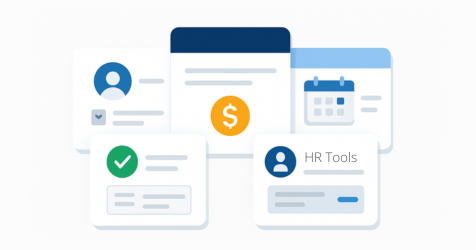
Upgrade to add HR tools
Everything You Get with ClockOn Pro:
-
Employment Records
-
Work Rights Verification
-
Manager Portal
Unlock Pro HR Features Without the Price Tag Bloat
Quick Setup, Easy to Use
Start fast with built-in templates and local support.
HR Essentials for Growing Teams
Onboarding, leave, and records — all in one place.
All-in-One System,
No Fuss
Ditch spreadsheets and disconnected tools - streamline everything
Frequently Asked Questions
Got questions? We’ve got answers!
How do employees record their working hours?
Employees can record their working hours using digital timesheets, the ClockOn mobile app, or by clocking in and out through a shared kiosk. Each entry captures start times, finish times and breaks, creating an accurate record of hours worked for payroll and attendance tracking.
Can managers review and approve timesheets before payroll?
Yes. Managers can review submitted timesheets and approve them before payroll is processed. This allows supervisors to verify recorded hours, correct any issues, and confirm that the timesheet accurately reflects the work performed before wages are calculated.
Does ClockOn track shift attendance?
Yes. ClockOn records when employees start and finish their shifts, allowing businesses to monitor attendance across the workforce. This helps identify late arrivals, early departures, missed shifts or other attendance exceptions that may need to be addressed.
Can timesheets be linked directly to payroll processing?
Yes. Once timesheets are reviewed and approved, the recorded hours flow directly into payroll calculations. This removes the need to manually re-enter hours, improving payroll accuracy and reducing administrative workload.
See For Yourself
-2.png?width=1242&height=463&name=Mask%20group%20(16)-2.png)